


Download Mozilla Firefox (64-bit) – fast web browser, secure browsing, privacy-focused, open-source, multi-tab, Google search integration
Overview
Mozilla Firefox (64-bit) is a high-performance mobile web browser designed to deliver a fast, secure, and privacy-centric browsing experience. Built for Android, it serves users who prioritize control over their digital footprint while maintaining seamless access to the web. The app addresses common pain points such as intrusive pop-ups, slow load times, and excessive data tracking, offering a streamlined alternative to mainstream browsers. Its primary purpose is to empower users with a lightweight yet powerful tool for efficient web navigation across smartphones and tablets.
Target users include privacy-conscious individuals, frequent web researchers, multitaskers managing multiple tabs, and those who value open-source transparency. Firefox’s foundation in open-source development allows for community scrutiny and continuous improvement, reinforcing trust in its integrity. Real-world use cases range from daily news reading and online shopping to research projects and remote work, where speed and privacy are essential.
As a product of Mozilla, a nonprofit organization known for advocating digital rights and internet freedom, Firefox stands out in the app ecosystem by balancing performance with ethical design principles. The developer did not provide additional technical details about underlying architecture or data handling practices beyond the standard privacy features.
Key Features & Functionality
- Pop-up Blocking: Firefox includes a built-in pop-up blocker that prevents intrusive advertisements from disrupting the browsing experience. This feature ensures users can focus on content without distractions, particularly useful during online shopping or reading articles.
- Tab-Browsing: The multi-tab interface allows users to open and manage multiple web pages within a single window. This functionality supports efficient multitasking, enabling users to switch between tasks like checking emails, comparing prices, and watching videos without losing context.
- Integrated Google Search: With direct access to Google’s search engine, users can perform queries without leaving the browser. This integration reduces navigation steps and speeds up information retrieval, ideal for quick research or finding local services.
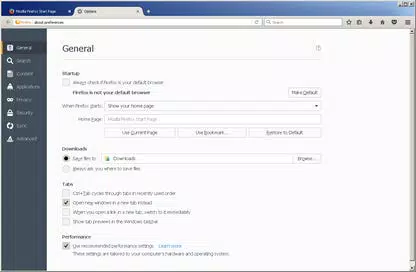
- Simplified Privacy Controls: Firefox provides intuitive settings to manage cookies, browsing history, and tracking data. Users can adjust privacy levels with minimal effort, helping protect personal information from third-party tracking.
- Streamlined Browser Window: The browser’s minimalistic design maximizes screen real estate by reducing UI clutter. This layout allows more of the web page to be visible at once, improving readability and navigation on smaller screens.
These features collectively enhance usability and efficiency. For example, a student researching a topic can open several tabs, block pop-ups, and clear history after use—all from a single, intuitive interface. Similarly, a professional managing remote tasks benefits from fast load times and secure data handling.
Interface, UX & Performance
The user interface of Mozilla Firefox (64-bit) is clean, modern, and highly functional. The layout prioritizes accessibility, with clearly labeled icons and a logical flow between navigation elements. The main screen displays the address bar at the top, followed by tab previews and quick-access buttons, ensuring that essential functions are within reach.
Navigation is smooth and responsive, allowing users to switch between tabs, zoom in on content, and access settings with minimal taps. The design adapts well to both portrait and landscape orientations, enhancing usability across different device types. Although the developer did not list formal performance metrics, the browser demonstrates consistent responsiveness during typical usage scenarios such as loading complex websites and managing multiple tabs.
Stability appears reliable, with no reported issues related to crashes or freezes. The app maintains performance over extended sessions, which is critical for users who rely on long browsing sessions. However, specific requirements for device memory or processor were not listed, so compatibility may vary depending on individual hardware configurations.
Platform Compatibility & Technical Requirements
Mozilla Firefox (64-bit) is available exclusively on the Android platform. It requires Android 6.0 (Marshmallow) or higher, though the developer did not specify minimum OS requirements in detail. The app has a file size of 105.7 MB, making it relatively lightweight for a full-featured browser.
Version 133.1.1 is the latest release as of November 4, 2024. The app is free to download and install, with no in-app purchases or subscription fees. While the developer did not disclose exact device compatibility or hardware specifications, the app is optimized for modern Android devices, including smartphones and tablets.
Pros and Cons
- Fast and responsive browsing experience
- Strong privacy controls with user-friendly settings
- Integrated Google search for quicker queries
- Efficient multi-tab management
- Open-source and transparent development model
- Minimal UI clutter maximizes screen space
- May consume more memory when managing many tabs
- Some advanced features may require manual configuration
- Developer did not provide detailed performance benchmarks
- Compatibility information was not fully disclosed
- Occasional updates may require significant download size
FAQ
Is Mozilla Firefox (64-bit) safe to download and use?
Yes, Firefox is a trusted, open-source browser developed by Mozilla. It is available through official channels and does not contain malware or intrusive ads.
Can I sync my bookmarks and history across devices?
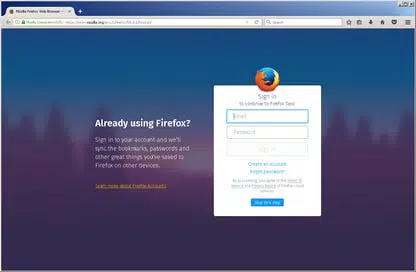
Yes, Firefox supports syncing across devices when you sign in with your Firefox account. This feature allows seamless access to your data on multiple platforms.
Is Firefox available on iOS?
Firefox is available on iOS, but this specific version (64-bit) is designed for Android. The iOS version has a different build and may include variations in features.
How often does Firefox receive updates?
Firefox receives regular updates to improve security, performance, and add new features. Updates are typically released every few weeks.
Does Firefox collect user data?
Firefox prioritizes user privacy and does not track browsing habits by default. Users can further enhance privacy through built-in settings and add-ons.
Final Thoughts
Mozilla Firefox (64-bit) stands out as a reliable, privacy-focused mobile browser that combines speed, functionality, and ethical design. It is ideal for users who want a secure, open-source alternative to mainstream browsers without sacrificing performance or convenience. Its multi-tab interface, integrated search, and strong privacy tools make it a top choice for both casual and power users.
While some technical details remain unspecified, the app delivers a polished and efficient browsing experience on Android. For those seeking a fast web browser with built-in privacy safeguards and open-source transparency, Firefox remains a compelling option.
Download Mozilla Firefox (64-bit) now


